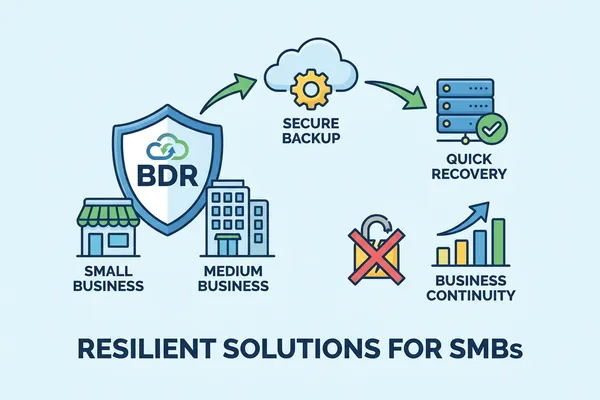
Backup & Disaster Recovery for SMBs: A 2026 Plan
HOME I BACK TO BLOGS I ABOUT US I CONTACT US
Managed IT Services, MSP Pricing, Cybersecurity Management
Backup and Disaster Recovery for Small Business: Why Most SMBs Find Out Their Backups Fail on the Worst Day
Most small businesses have a backup. Far fewer have ever restored from it.
That gap stays invisible until the day it matters: a ransomware note on the server, a failed drive, a deleted SharePoint site. Then you learn whether you had a backup or just a green checkmark.
The odds of that day arriving are not small. Verizon's 2025 Data Breach Investigations Report found ransomware in 88% of breaches at small and medium-sized businesses, compared with 39% at large enterprises. Sophos's State of Ransomware 2026 puts the average recovery cost at US$1.7 million.
This guide walks through how to build a backup and disaster recovery plan that actually works, in plain English, with Canadian requirements included.
Backup vs. Disaster Recovery
People use the two terms as if they mean the same thing. They don't.
•Backup: a protected copy of your data and systems.
•Disaster recovery (DR): the tested plan for getting the business running again, within targets you set in advance.
Think of backup as a photograph of your data, and DR as the plan that tells you where the photograph is, how to retrieve it, and who does what. You need both.
What Usually Causes Data Loss
1.Human error. Accidental deletion, a misconfigured setting, a mis-sent file, a clicked phishing link. Verizon's 2025 report found the human element in about 60% of breaches.
2.Ransomware and cyberattacks. Data encrypted or deleted, usually for ransom.
3.Hardware failure. Drives and devices fail, often silently as they age.
4.Physical disasters. Fire, flood, theft, or severe weather at your office.
Why It Matters in Canada: PIPEDA
If you're a private-sector business in Canada, PIPEDA makes you responsible for protecting the personal information you hold. If a breach creates a real risk of significant harm, you must:
•Report it to the Office of the Privacy Commissioner of Canada (OPC).
•Notify the affected individuals.
•Keep a record of every breach of security safeguards, including minor ones, for at least 24 months.
Your backup and recovery plan is part of how you show that you took reasonable safeguards. Note that PIPEDA doesn't require your data to be stored in Canada, but you stay responsible for it wherever it sits.
How to Build the Plan: Four Steps
Step 1: Run a Business Impact Analysis (BIA)
A BIA tells you what hurts most when it goes offline. It's the foundation for everything else, and it's the step small businesses skip because it feels corporate. It isn't. It's a spreadsheet and an afternoon.
1.List every system and process: accounting, point of sale, customer portals, email, shared files.
2.Rank each by criticality. Critical (payments, booking, case management): can't be down an hour. Important (payroll): can tolerate a short delay. Low priority (historical archives): can wait days.
3.Estimate the cost of downtime: lost sales, idle staff, penalties, per hour and per day.
4.Count the non-financial damage: regulatory exposure and client trust.
5.Map the risks: which systems are exposed to cyberattack, and which to physical risk, like a server in a flood-prone basement.
The result sets your recovery targets based on business priorities, not on what IT thinks is important.
Step 2: Choose Your Architecture: the 3-2-1-1-0 Rule
•3 copies of your data: production plus two backups.
•2 different media types, such as a local NAS and cloud object storage.
•1 copy off-site, so a fire or theft at the office can't take everything.
•1 copy immutable or air-gapped. Immutable storage can't be altered or deleted during its retention period, so ransomware can't encrypt it. Air-gapped means physically disconnected.
•0 restore errors. A backup you haven't tested doesn't count.
A typical stack for a Canadian SMB: an encrypted NAS with snapshots for fast local recovery, an immutable cloud tier (object lock enabled) for site-wide disasters, and a dedicated backup for Microsoft 365 email, SharePoint, OneDrive, and Teams.
Don't assume Microsoft backs up everything. Microsoft runs the service and provides retention, but under the shared responsibility model you are responsible for your data. Use a dedicated Microsoft 365 backup.
Step 3: Set Recovery Targets and Schedules
•RTO (Recovery Time Objective): the longest you can be down.
•RPO (Recovery Point Objective): the most data you can afford to lose, measured in time.
Example settings (yours should come from your BIA):
•Critical systems: restore within one hour, lose no more than 15 minutes of data.
•Core business apps: up to four hours of downtime, up to one hour of data loss.
•Archives: up to three days to recover, up to a day of data loss.
Example schedules to match: hourly incrementals plus a nightly full backup for transactional systems; nightly incrementals plus a weekly full for file servers; a monthly full for archives. Automate all of it, run big jobs outside business hours, and make sure the software alerts you when a job fails. Silence is not good news.
Step 4: Write Down Who Does What
In an incident, panic is the enemy. A written plan keeps everyone focused. Include:
•Roles: who leads recovery, who contacts the vendors, who talks to clients.
•Escalation paths: who steps in if your primary IT contact is unavailable.
•Contact list: cloud provider, backup vendor, ISP, your MSP, insurer.
•Recovery steps: from identifying the failure to verifying restored systems.
•Communication templates: pre-approved messages for clients, partners, and regulators, including breach notices.
Keep one copy in the cloud and one printed. If your systems are down, so is your cloud-only plan.
Keeping the Plan Healthy
A plan that was right in January can be wrong by June. New systems, new staff, and a changed network all quietly erode it.
1.Test restores every quarter. Restore a single file. Restore a full critical system. Time both against your RTO and RPO. Confirm your staff can follow the runbook under pressure.
2.Watch storage capacity. A full backup target stops protecting your newest data without complaining. Alert at 70 to 80% usage and keep 20 to 30% free.
3.Keep a local copy for speed and a cloud copy for resilience. If one user deletes a file, restore it from local in minutes. If ransomware hits, restore from the immutable cloud copy.
4.Use versioning and immutability. Enable file versioning in Microsoft 365, and set immutable retention long enough to outlast a slow-burning attack. Test restores from older versions too.
5.Train your people. Phishing awareness, simulated phishing with coaching rather than shaming, password managers, MFA on every key system, and a culture where staff report mistakes right away.
6.Limit and review vendor access. Least privilege, revoked when no longer needed. Encrypt backups in transit and at rest.
If Disaster Strikes: the First 24 Hours
Early containment and clean restoration reduce both cost and downtime. The Canadian Centre for Cyber Security advises reporting a cybercrime promptly, ideally within 24 hours of discovering it.
1. Contain
•Isolate affected devices and servers from the network. Disable shared drives. Don't wipe anything yet; you may need the evidence.
•Name an incident lead, open a clean communication channel, and start an incident log.
2. Scope and Decide
•Identify what's affected: encrypted files, ransom notes, suspicious accounts. Prioritize your critical systems.
•If personal information may be involved, start a PIPEDA breach risk assessment and begin your record. Prepare to notify the OPC and affected individuals if the risk threshold is met.
3. Restore Clean
•Restore from your immutable or off-site copy first. Rebuild compromised systems and scan restored data before reconnecting anything to the network.
•Bring systems back in priority order, using your RTO and RPO table. Do the minimum viable set first: identity, email, and the systems that take payment.
4. Communicate, Report, Harden
•IT handles recovery. Management handles customer and partner messaging. Privacy and legal handle regulator notices.
•Report to your local police and the Canadian Anti-Fraud Centre, and to the Canadian Centre for Cyber Security through its online reporting portal.
•Document everything, and keep breach records at least 24 months.
•Before reconnecting: rotate credentials, patch, and close the gap that let the attacker in.
Where Backup Plans Quietly Fail
Most small businesses don't fail because they have no backup. They fail because nobody checked the settings and nobody tested the restore. Backups that stopped running months ago. A cloud copy that ransomware could delete because it wasn't immutable. Microsoft 365 data with no backup at all.
This is Invisible Configuration Debt: the gaps that sit silently until a breach, an insurance renewal, or a client questionnaire exposes them. An untested backup is one of the most common.
How Delvetek Helps
Delvetek designs and manages backup and disaster recovery for small and mid-sized businesses across local, cloud, and hybrid environments, with Microsoft 365 backup, cloud consulting, and cybersecurity built into the plan. Our Insurability & Contract-Readiness Protocol includes quarterly backup-restore tests, so you know the plan works before you need it.
Find Out If Your Backups Would Actually Work
Book the Insurability & Contract-Readiness Assessment. You receive a written, plain-English, prioritized report showing where your backups, admin access, and security settings would fail an insurer or client review, and what to fix first.
Don't find out your backup is broken during the incident.
[Book Your Assessment →]
Sources
•Verizon, 2025 Data Breach Investigations Report (human element ~60% of breaches; ransomware in 88% of SMB breaches vs 39% for large enterprises): verizon.com/business/resources/reports/dbir/
•Sophos, The State of Ransomware 2026 (average recovery cost US$1.7M): sophos.com/ransomware2026
•Canadian Centre for Cyber Security, Have you been a victim of cybercrime?: cyber.gc.ca/en/guidance/have-you-been-victim-cybercrime
•McMillan LLP, Reporting and Recording Breaches of Security Safeguards (PIPEDA s. 10.3, 24-month record): mcmillan.ca/insights/reporting-and-recording-breaches-of-security-safeguards-the-opc-releases-new-resources-for-businesses/
HOME I BACK TO BLOGS I ABOUT US I CONTACT US
