Microsoft 365 Plans: Protect Your Business Effectively
HOME I BACK TO BLOGS I ABOUT US I CONTACT US
Microsoft 365 Plans, Business Premium Security, Cyber Insurance Compliance, Endpoint Protection Tools, MFA Implementation, SMB Security Strategies
Microsoft 365 Business Basic vs Standard vs Premium: Which Plan Actually Protects Your Business?
If you run a small or mid-sized business, you’ve probably been told, “Just upgrade to Microsoft 365 Business Premium and you’ll be secure.” At Delvetek Consulting, we see the other side: companies paying for Premium, failing cyber insurance questionnaires, and still getting breached—because the tools were never configured properly. Let’s unpack what each Microsoft 365 Business plan really gives you in 2026, what changed this year, and what it takes to turn licenses into real protection.
The 2026 Landscape: Same Tools, Higher Stakes
In July 2026, Microsoft increased pricing on key Microsoft 365 plans: Business Basic jumped to about $7/user and Business Standard to about $14/user, while Business Premium stayed at $22/user per month with Teams included (Microsoft licensing updates, 2026). At the same time, Microsoft doubled down on security and AI across the stack, including enhancements to Defender for Office 365 and Intune capabilities.
For SMBs, the message is clear: Microsoft expects you to treat security as a first-class requirement, not an optional add-on. Cyber insurers and enterprise clients are expecting the same. The question is no longer, “Which plan is cheapest?” but “Which plan, properly configured, will keep us insurable and contract-ready?”
Business Basic vs Standard vs Premium: What You Actually Get
All three SMB plans share a common foundation:
Business email with Exchange Online
1 TB OneDrive storage per user
Web and mobile versions of Word, Excel, PowerPoint, Outlook
Microsoft Teams (for plans that include Teams)
Microsoft 365 Business Basic: Communication, Not Protection
Business Basic is built for access, not security. You get email, Teams, and online apps, but no desktop Office and no advanced security stack. Spam and malware are filtered at a basic level, but there’s no centralized device management, no advanced endpoint protection, and no Conditional Access. For any organization facing cyber insurance compliance or client security questionnaires, Basic is almost never enough.
Microsoft 365 Business Standard: Productivity Upgrade, Same Security Gaps
Business Standard adds fully installed desktop apps (including Access and Publisher on PC) and more productivity features like Bookings. But from a security standpoint, you’re still relying on mostly the same baseline protections as Basic. If your goal is secure endpoint protection tools and enforceable policies, Standard does not change the picture in a meaningful way.
Microsoft 365 Business Premium: Where Real Security Starts
Business Premium includes everything in Standard plus a tightly integrated security and management stack designed specifically for SMBs:
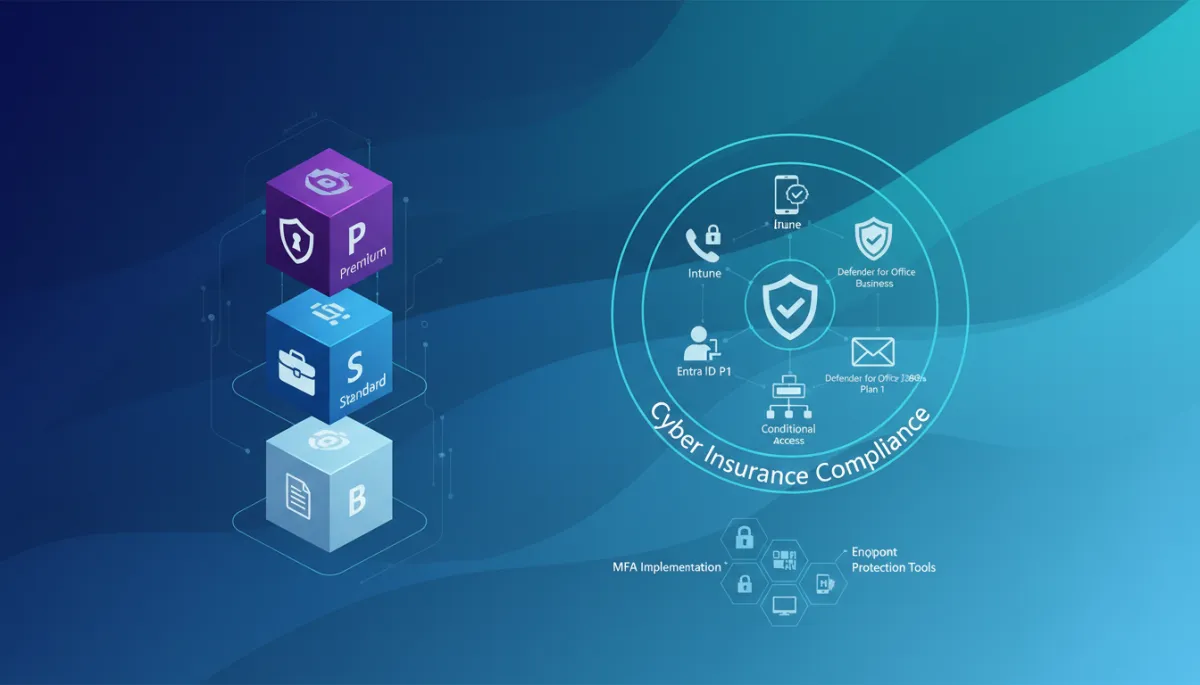
Intune (Plan 1) – Centralized device management across Windows, macOS, iOS, and Android. You can enforce encryption, screen locks, OS updates, and app policies from one console.
Defender for Business – Enterprise-grade endpoint security for up to 300 users: next‑gen antivirus, ransomware protection, endpoint detection and response, and vulnerability management.
Entra ID P1 (formerly Azure AD P1) – Advanced identity protection, including conditional access policies, self‑service password reset, and richer sign‑in reporting.
Conditional Access – The ability to say “you only get in if you meet these conditions”: MFA required, compliant device, trusted location, no legacy authentication, and more.
Defender for Office 365 Plan 1 – Advanced phishing and malware protection with Safe Links, Safe Attachments, and improved detection across email and Teams (Defender for Office 365 updates, 2026).

Business Premium only protects you when Intune, Defender, and Conditional Access are actually configured.
What Changed in 2026—and Why It Matters for Security
Beyond price increases, 2026 brought meaningful security enhancements. Defender for Office 365 Plan 1 gained better Teams protection, improved phishing detection, and new reporting options. SharePoint moved more firmly into modern Purview‑based data protection. Entra ID continued to tighten how sign‑ins are handled, with evolving MFA and policy experiences.
For SMBs, this means Business Premium is even closer to enterprise‑grade security—if you use it. Cyber insurers increasingly expect controls like MFA implementation, device encryption, phishing protection, and centralized logging. Those are exactly the controls Business Premium unlocks, but they don’t turn on by themselves.
Licenses Don’t Equal Security: The Importance of Proper Configuration
At Delvetek Consulting, we talk a lot about Invisible Configuration Debt—the gaps hiding inside tools you already pay for. Business Premium is a perfect example. Most environments we audit have:
Premium licenses assigned, but Intune enrollment optional, so half the laptops are unmanaged.
MFA enabled but unenforced—users can bypass it with legacy protocols or “remembered” devices for months.
Conditional Access policies in “report‑only” mode instead of blocking risky sign‑ins.
Defender for Business deployed with default policies, leaving critical attack surface reduction rules disabled to “avoid user complaints.”
From an insurer’s point of view, that’s the worst of both worlds: you’re paying for advanced endpoint protection tools and identity security, but your actual controls look like a Business Basic tenant. When a claim or client audit arrives, the question isn’t “Do you own Business Premium?” It’s “Can you prove these controls were enforced?”
📌 Key Takeaway: Business Premium is the only SMB plan that can realistically support modern SMB security strategies and cyber insurance compliance—but only when Intune, Defender, Entra ID, and Conditional Access are intentionally designed, implemented, and monitored.
Common Mistakes After Upgrading to Business Premium
Here are the patterns we see again and again when new clients come to Delvetek after a failed audit or near‑miss incident:
“Lift and shift” from Standard: Licenses are upgraded, but no one revisits identity, device, or email policies. The security posture is unchanged.
Too many global admins: Business owners, finance, even ex‑IT vendors still have full admin rights, violating basic least‑privilege expectations in NIST, CIS, and CCCS frameworks.
No documented policies: Settings are tweaked ad‑hoc, but there’s no written baseline to show an insurer or client how access, devices, and data are governed.
No ongoing verification: Even when controls are configured once, they’re never re‑checked. New apps, users, and devices quietly erode the posture over time.
So Which Plan Should You Choose—and What Comes Next?
If you’re a professional services, healthcare, legal, accounting, financial, or manufacturing firm under 300 users, the decision is straightforward: Business Basic and Standard are productivity plans; Business Premium is a security plan.
Choose Business Basic only if you’re a micro‑business with no regulatory or contractual security pressure (a shrinking category).
Choose Business Standard if you strictly need desktop apps and are layering security from another stack—a situation we rarely recommend today.
Choose Business Premium if you care about insurability, client trust, and avoiding painful clean‑up after an incident.
But the real work starts after you choose. You need a clear design for identity, device, and email security; implementation that matches frameworks like CCCS, CIS, and NIST; and ongoing verification that policies stay enforced as your business changes.
Turn Business Premium into Real Protection with Delvetek
Delvetek Consulting was built for owners, executives, and “accidental IT coordinators” who are tired of vague MSP promises and surprise gaps. Every engagement starts with our Insurability & Contract‑Readiness Assessment: a structured review of your Microsoft 365 and broader environment against CCCS, CIS, NIST, and current cyber insurance compliance requirements.
You receive a written, prioritized risk report in plain English that shows exactly where your Business Premium configuration falls short—MFA, Conditional Access, Intune policies, Defender for Business, Defender for Office 365, data protection, and more—and what to fix first. Then we help you close those gaps and verify, quarter after quarter, that they stay closed.
If you want Microsoft 365 Business Premium to actually protect your business—not just appear on an invoice—book the Insurability & Contract‑Readiness Assessment with Delvetek Consulting and turn licenses into real, verifiable security.
HOME I BACK TO BLOGS I ABOUT US I CONTACT US
